Local domains for your dev servers.
Stop juggling localhost:3000. Map custom domains like myapp.test to your running apps — with HTTPS, zero config, and a single binary.
Every developer deals with this.
Port confusion
You're running three projects. Which one is localhost:3000? Which is :3001? Your browser tabs all say "localhost."
Cookie collisions
Different projects on localhost share cookies. Auth tokens leak between apps. Sessions break when you switch projects.
HTTPS headaches
OAuth requires HTTPS. Secure cookies need HTTPS. Testing SSL locally means self-signed certs, browser warnings, and wasted time.
Hatch fixes all of this.
Three commands. That's it.
Install
Single binary. No dependencies. One command.
$ brew install kingsleyocran/tap/hatchSetup
One-time setup configures DNS and installs a trusted certificate authority.
$ hatch setupMap
Point any .test domain to any port. Add --https for a trusted green lock.
$ hatch add myapp.test 3000 --httpsVisit https://myapp.test — it just works.
Everything you need.
Built for developers who run multiple projects.
Custom Local Domains
Map frontend.test, api.test, dashboard.test — any name to any port. Your browser tabs finally make sense.
Instant HTTPS
Generates trusted TLS certificates automatically. Green lock in your browser. No self-signed cert warnings.
Auto-Detection
Start your dev server — the domain goes live. Stop it — a branded waiting page appears with auto-refresh.
Port Scanner
hatch scan detects all running services, identifies project types, and suggests domain mappings.
Zero Dependencies
Single Go binary. No nginx, no Docker, no Node. Download and run.
Cross-Platform
macOS, Linux, and Windows. Same binary, same commands, same experience.
What happens under the hood.
DNS Resolver
A lightweight DNS server. Your OS asks Hatch for .test domains. Every registered domain resolves to 127.0.0.1 — no /etc/hosts editing.
Reverse Proxy
A Go reverse proxy routes requests by domain name. TLS termination happens at the proxy — your dev servers stay on plain HTTP.
Port Watcher
Monitors registered ports. When your dev server starts, the domain goes live. When it stops, visitors see a waiting page with auto-refresh.
Certificate Authority
On first HTTPS domain, generates a local CA and installs it in your system trust store. Domain certificates are created on the fly.
Manage domains visually.
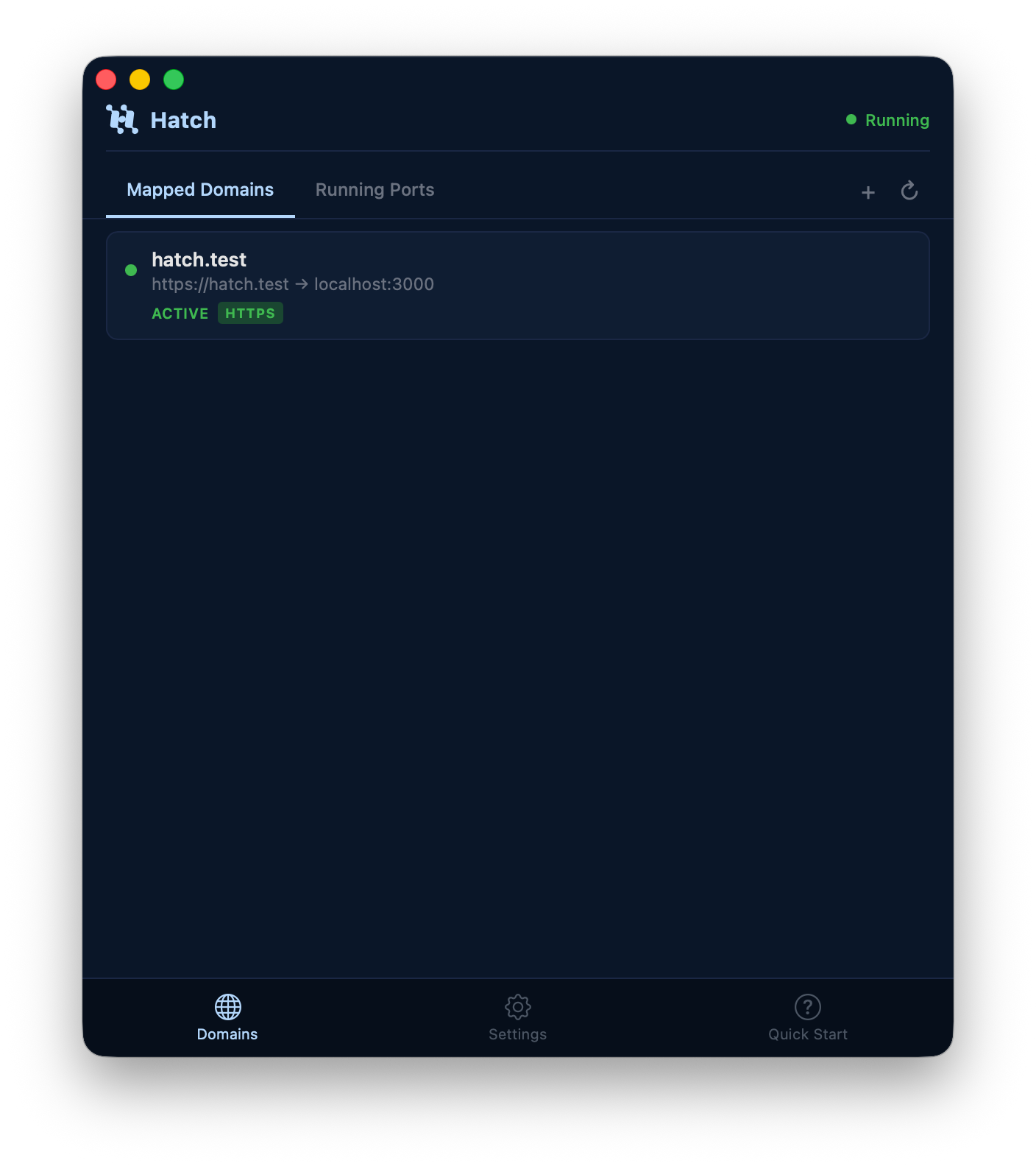
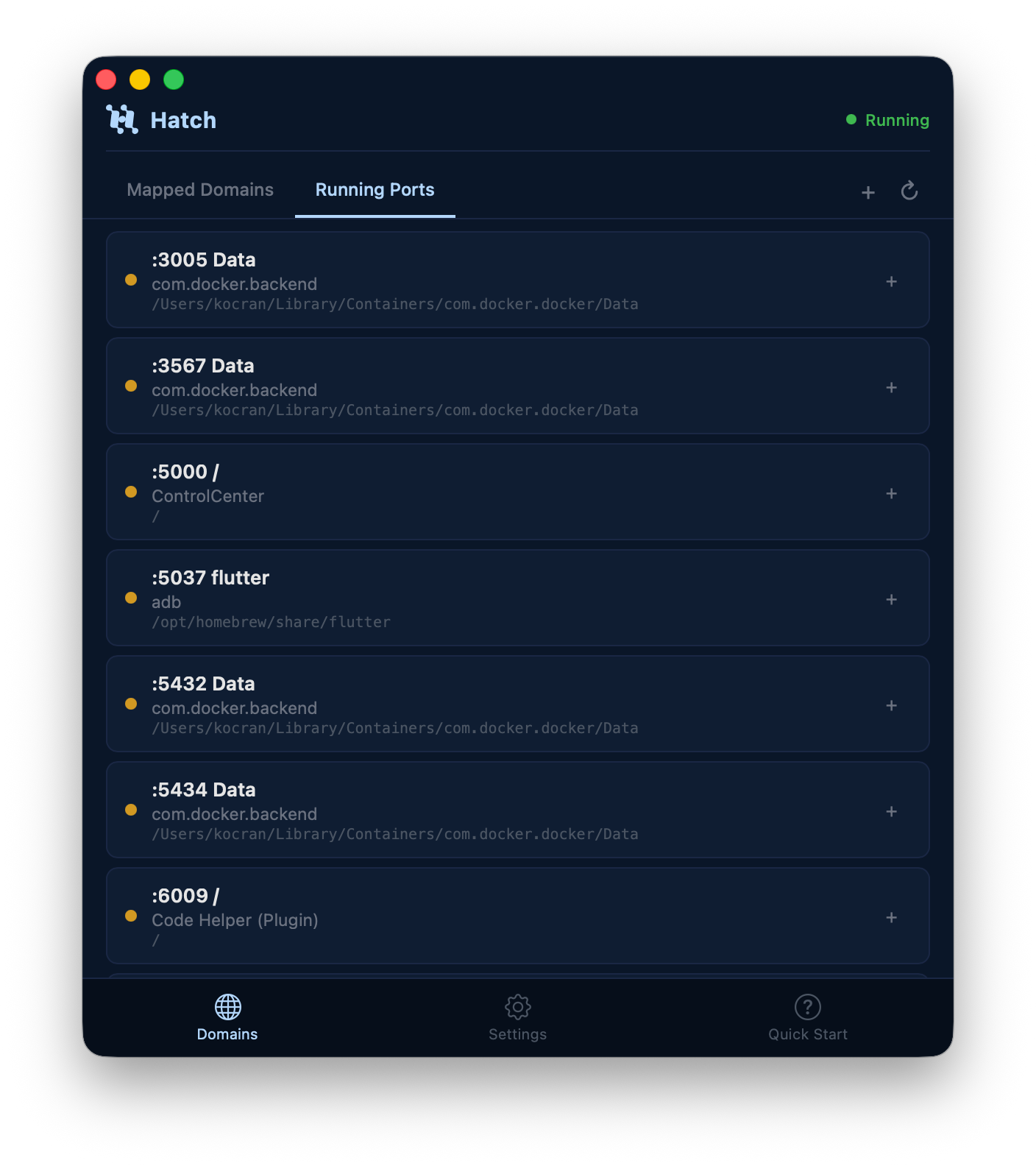
The Hatch desktop app and VSCode extension give you a visual dashboard for all your local domains. See what's running, detect ports, add new mappings, and open domains in your browser.
- ✓Sidebar panel with domain status (active/stopped)
- ✓Running port detection with project names
- ✓One-click domain mapping with HTTPS
- ✓Auto-downloads Hatch CLI if not installed
- ✓Works on macOS, Linux, and Windows
Pick your platform. Run one command.
Homebrew
brew install kingsleyocran/tap/hatch
Binary
curl -L https://github.com/kingsleyocran/hatch/releases/latest/download/hatch-darwin-arm64 -o hatch
chmod +x hatch && sudo mv hatch /usr/local/bin/
Then run the quick start:
$ hatch setup               # one-time DNS + CA setup
$ hatch add myapp.test 3000 --https
$ open https://myapp.test    # ✓ green lock
Frequently asked questions.
Only for the initial setup — Hatch needs to configure your system DNS resolver and install a trusted certificate authority. After that, adding and removing domains doesn't require elevated permissions.
Hatch runs its own DNS server and reverse proxy on ports 80 and 443. If you have another server (like nginx or Apache) already bound to those ports, you'll need to stop it first. Hatch won't interfere with anything running on other ports.
The default is .test, which is IETF-reserved and works everywhere. You can also use .localhost, .local, .dev, or .internal. Use `hatch config set default_tld <tld>` to change the default.
On your first HTTPS domain, Hatch generates a local Certificate Authority and installs it in your system trust store. All domain certificates are then signed by this CA, so your browser trusts them — no self-signed cert warnings.
Yes. If your container exposes a port to the host, you can map a .test domain to that port. Hatch proxies to localhost — it doesn't need to know whether the service behind the port is native or containerized.
Hatch detects that the port is no longer responding and serves a branded "waiting" page. When your dev server starts back up, the page auto-refreshes via WebSocket — no manual reload needed.
Yes. Hatch is open source and MIT licensed. No accounts, no telemetry, no paid tiers.
Free forever. MIT licensed.
Hatch is free and open source. Built with Go for the CLI and TypeScript for the VSCode extension. Contributions welcome.